> For the complete documentation index, see [llms.txt](https://docs.fwallet.net/llms.txt). Markdown versions of documentation pages are available by appending `.md` to page URLs; this page is available as [Markdown](https://docs.fwallet.net/web-fruits-wallet/yield-farming/yield-farming-history/transaction-details.md).
# Transaction details
**Step 1**
* At the "Yield Farming History" screen, click View to display the Transaction ID of the yield farming sent.

**Step 2**
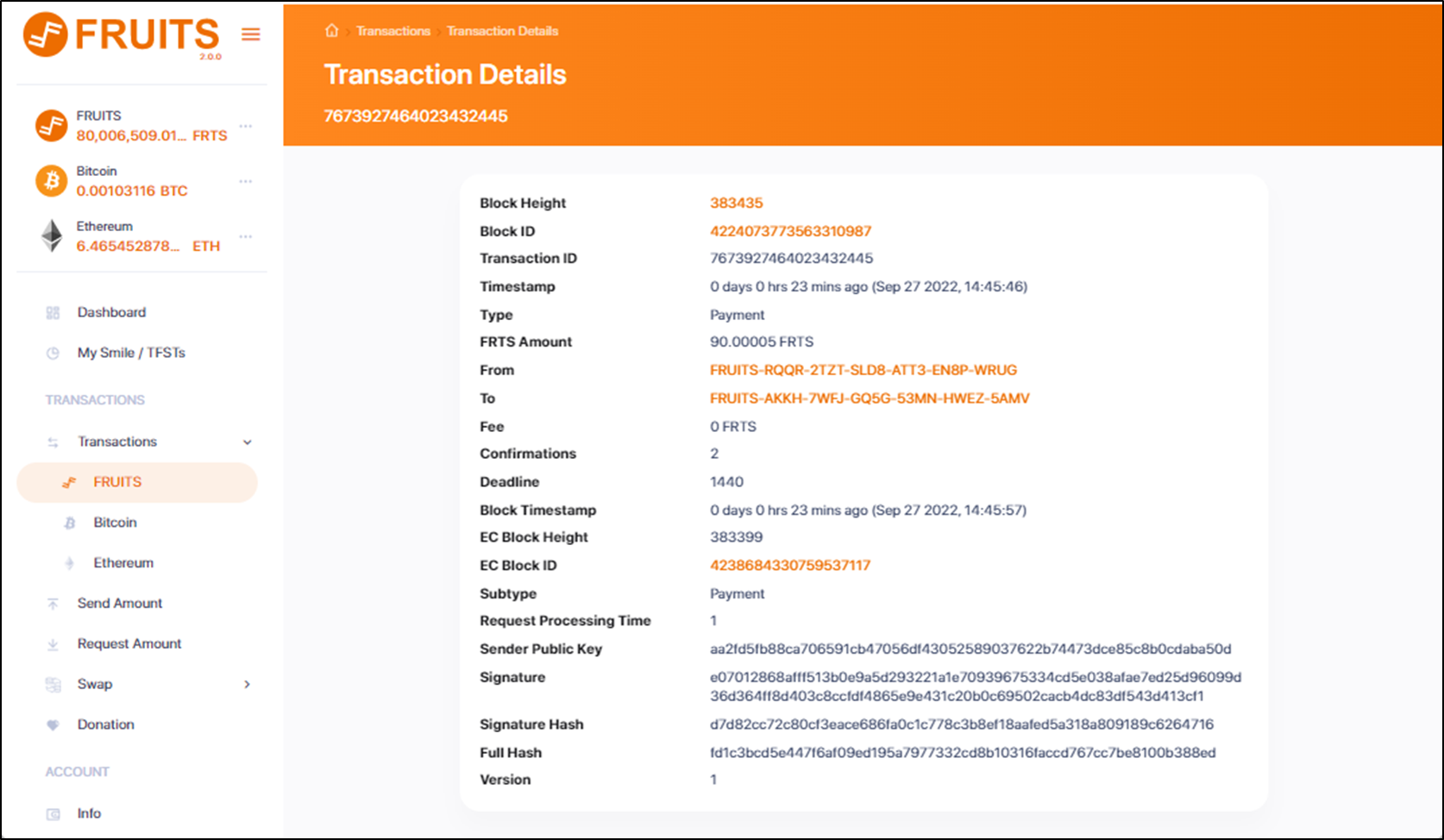
* Click on the Transaction ID, to view the Transaction Details Screen.